
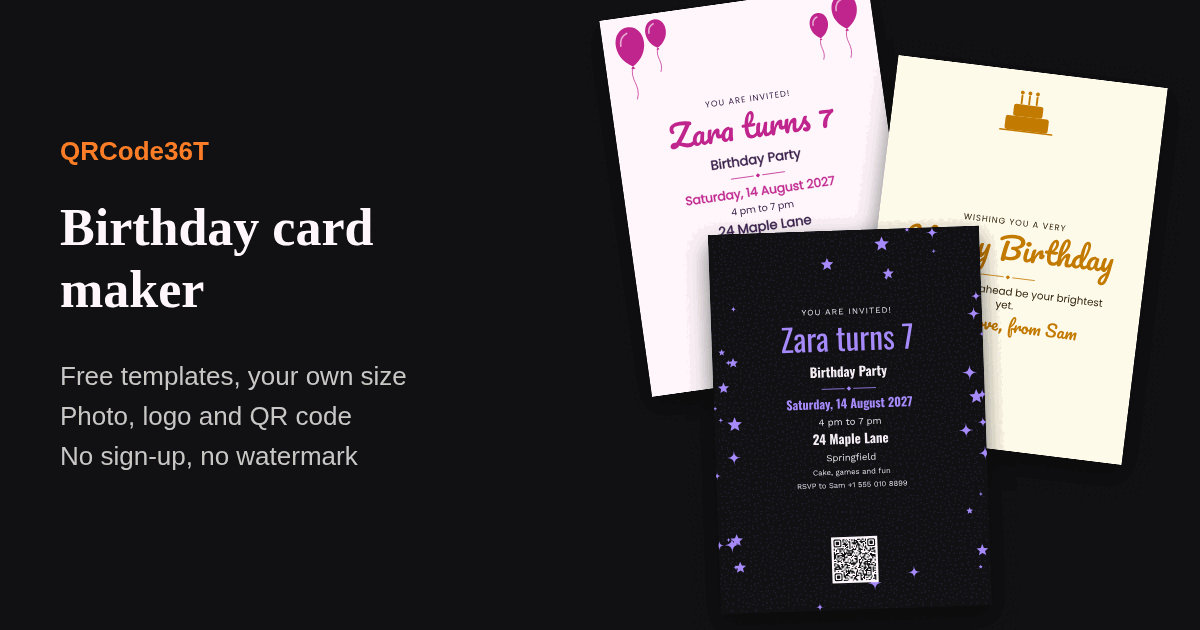
How to make it
- Choose a birthday invitation, a kids’ party or a greeting card.
- Add the name, age, date and place.
- Put in a photo of the birthday person.
- Share the picture or print it.
What people use it for
- Children’s parties
- Milestone birthdays
- Greeting cards for friends and colleagues
- Surprise party notes
Design tips
- Bright designs read best with short lines.
- Mention food and finishing time for children’s parties.
- A square photo works well in the arch and circle frames.
Pick a design
| Option | Good for | Keep in mind |
|---|---|---|
| Playful | Children | Balloons, bunting, stars |
| Elegant | Adult milestones | Black, gold and script fonts |
| Photo | Personal touch | Use a clear, well-lit picture |
Common card sizes
| Card | Size | Notes |
|---|---|---|
| Business card | 3.5 × 2 in or 85 × 55 mm | 90 × 50 mm in some countries |
| ID card (CR80) | 85.6 × 54 mm | Bank-card size |
| Invitation | 5 × 7 in, or A6 | Add 3 mm bleed for print shops |
| Gift voucher (DL) | 210 × 99 mm | Fits a long envelope |
| Phone story | 1080 × 1920 px | For messaging apps |
| Custom | 20 to 600 mm a side | mm, cm, inches or pixels |
Your privacy
QRCode36T builds your card inside your browser. Names, phone numbers, addresses and photos are not uploaded; we count visits with Google Analytics and record which card type, template and file format were used. Privacy details.
Frequently asked questions
Can I add a photo?
Yes. Choose a photo design or add a photo from the Add tab.
Can I send it on WhatsApp?
Yes. Download the PNG and attach it.
Can I change the colors?
Yes. Pick a color theme or set each color yourself.
Does it cost anything?
No.
More free tools
- QR code generator
- Wi-Fi QR code
- QR code with logo
- QR code with text
- vCard QR code
- WhatsApp QR code
- URL QR code
- Email QR code
- SMS QR code
- Location QR code
- Calendar event QR code
- Payment QR code
- Restaurant menu QR code
- Social media QR code
- Animated QR code
- QR code for print
- Bulk QR code generator
- QR code scanner
- Card maker
- Business card maker
- Wedding invitation maker
- Invitation card maker
- Eid card maker
- Greeting card maker
- ID card maker
- Gift voucher maker