
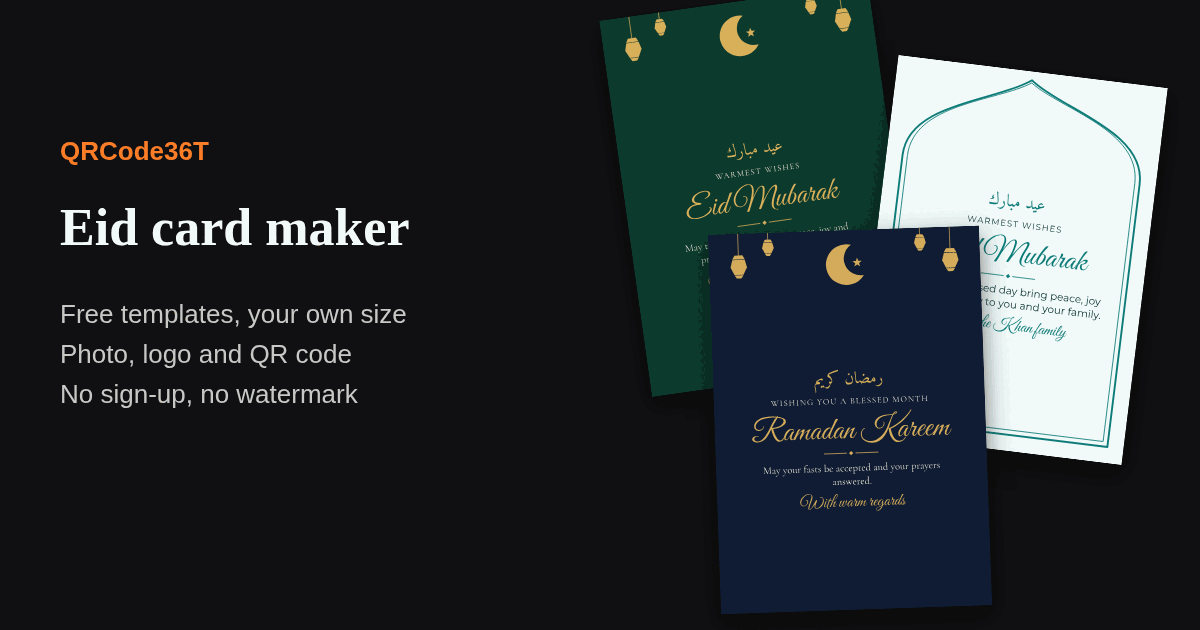
How to make it
- Pick a crescent, lantern, arch or geometric design.
- Change the message and sign it with your name.
- Add a family photo or company logo if you like.
- Download and share.
What people use it for
- Family greetings
- Company Eid wishes to customers
- Ramadan greetings
- Iftar invitations with a map code
Design tips
- A short message looks best.
- Use the 9:16 size for status and stories.
- For business greetings add the logo small, at the bottom.
Occasions
| Option | Good for | Keep in mind |
|---|---|---|
| Eid card | Eid al-Fitr and Eid al-Adha | Edit the Arabic line to suit |
| Ramadan card | Start of the month | Calm, dark designs work well |
| Iftar invitation | Gatherings | Give the time guests should arrive |
Common card sizes
| Card | Size | Notes |
|---|---|---|
| Business card | 3.5 × 2 in or 85 × 55 mm | 90 × 50 mm in some countries |
| ID card (CR80) | 85.6 × 54 mm | Bank-card size |
| Invitation | 5 × 7 in, or A6 | Add 3 mm bleed for print shops |
| Gift voucher (DL) | 210 × 99 mm | Fits a long envelope |
| Phone story | 1080 × 1920 px | For messaging apps |
| Custom | 20 to 600 mm a side | mm, cm, inches or pixels |
Your privacy
QRCode36T builds your card inside your browser. Names, phone numbers, addresses and photos are not uploaded; we count visits with Google Analytics and record which card type, template and file format were used. Privacy details.
Frequently asked questions
Can I put my name on the card?
Yes. Edit the “From” line in the Details tab.
Will Arabic letters join properly?
Yes. The same text shaping is used in the preview and the downloaded file.
Can I remove the Arabic line?
Yes. Empty its box in Details.
Is there a limit?
No limit and no watermark.
More free tools
- QR code generator
- Wi-Fi QR code
- QR code with logo
- QR code with text
- vCard QR code
- WhatsApp QR code
- URL QR code
- Email QR code
- SMS QR code
- Location QR code
- Calendar event QR code
- Payment QR code
- Restaurant menu QR code
- Social media QR code
- Animated QR code
- QR code for print
- Bulk QR code generator
- QR code scanner
- Card maker
- Business card maker
- Wedding invitation maker
- Invitation card maker
- Birthday card maker
- Greeting card maker
- ID card maker
- Gift voucher maker