
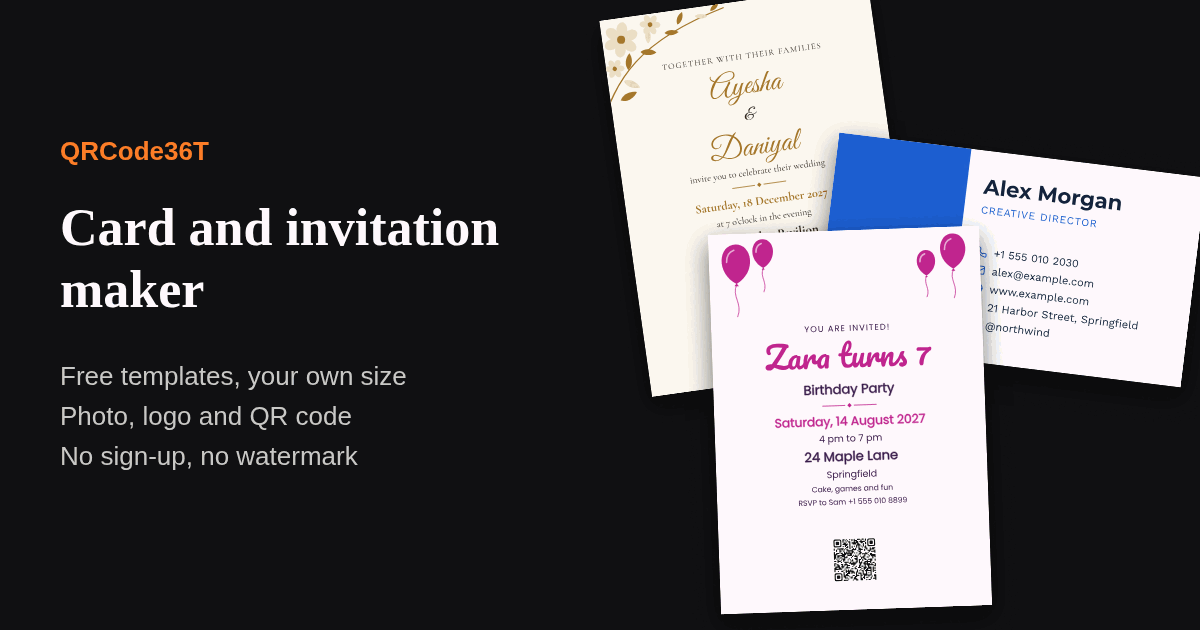
How to make it
- Pick what you are making: business card, invitation, greeting, badge, voucher and more.
- Choose a template, then type your details in the Details tab.
- Tap anything on the card to move, resize or restyle it, and add photos, logos, icons or a QR code.
- Set the size, including your own width and height, then download PNG, JPG, PDF or SVG.
What people use it for
- Animated invitations and greetings for WhatsApp
- Business and visiting cards
- Wedding, Nikah, birthday and party invitations
- Eid, Ramadan, Christmas and New Year greetings
- ID badges, loyalty cards, vouchers, tickets and certificates
Design tips
- Keep important text a few millimetres inside the edge.
- Two fonts are enough: one for names, one for details.
- For a print shop, turn on the 3 mm bleed and choose PDF.
Which file to download
| Option | Good for | Keep in mind |
|---|---|---|
| PNG or JPG | WhatsApp, email and social posts | Choose Screen quality for sharing |
| PDF, one per page | Print shops | Add bleed and crop marks |
| PDF, many on a sheet | Home or office printer | Print at 100%, then cut along the marks |
Common card sizes
| Card | Size | Notes |
|---|---|---|
| Business card | 3.5 × 2 in or 85 × 55 mm | 90 × 50 mm in some countries |
| ID card (CR80) | 85.6 × 54 mm | Bank-card size |
| Invitation | 5 × 7 in, or A6 | Add 3 mm bleed for print shops |
| Gift voucher (DL) | 210 × 99 mm | Fits a long envelope |
| Phone story | 1080 × 1920 px | For messaging apps |
| Custom | 20 to 600 mm a side | mm, cm, inches or pixels |
Your privacy
QRCode36T builds your card inside your browser. Names, phone numbers, addresses and photos are not uploaded; we count visits with Google Analytics and record which card type, template and file format were used. Privacy details.
Frequently asked questions
Is the card maker free?
Yes. There is no sign-up, no watermark and no limit on downloads.
Can I use my own size?
Yes. In Size & style, enter any width and height from 20 mm to 600 mm in mm, cm, inches or pixels.
Are my photos uploaded?
No. They are read and drawn by your own browser.
Can I write in Urdu or Arabic?
Yes. Type it into any text box; the letters join correctly in downloads too.
Which national holidays have templates?
USA holidays such as Independence Day and Thanksgiving, Indian festivals such as Holi, Diwali and Republic Day, Pakistan days such as 14 August and 23 March, and Mexican celebrations such as Independencia and Día de Muertos.
Can I style the QR code on a card?
Yes. In the QR code tab pick a ready style, or set dot and corner shapes, colors, gradient, background, a logo or icon in the middle and a frame with your own words.
Can I write something under the QR code?
Yes. Type it in “Note below the QR code” in the QR code tab. The code and the note share the same space, so nothing else moves.
Can I make an animated card?
Yes. In the Animate tab pick a style such as typewriter, celebration or snow, then download a GIF, APNG, WebP or animated SVG, or send the link.
Can I share my design with someone?
Yes. Use Share to send a link through WhatsApp, Telegram, email or another app, or copy it. The whole design is in the link, so the other person gets their own editable copy. Pictures are stored small in links.
Can I continue later?
Your work is kept in this browser. You can also bookmark the link or download a project file.
More free tools
- QR code generator
- Wi-Fi QR code
- QR code with logo
- QR code with text
- vCard QR code
- WhatsApp QR code
- URL QR code
- Email QR code
- SMS QR code
- Location QR code
- Calendar event QR code
- Payment QR code
- Restaurant menu QR code
- Social media QR code
- Animated QR code
- QR code for print
- Bulk QR code generator
- QR code scanner
- Business card maker
- Wedding invitation maker
- Invitation card maker
- Birthday card maker
- Eid card maker
- Greeting card maker
- ID card maker
- Gift voucher maker