
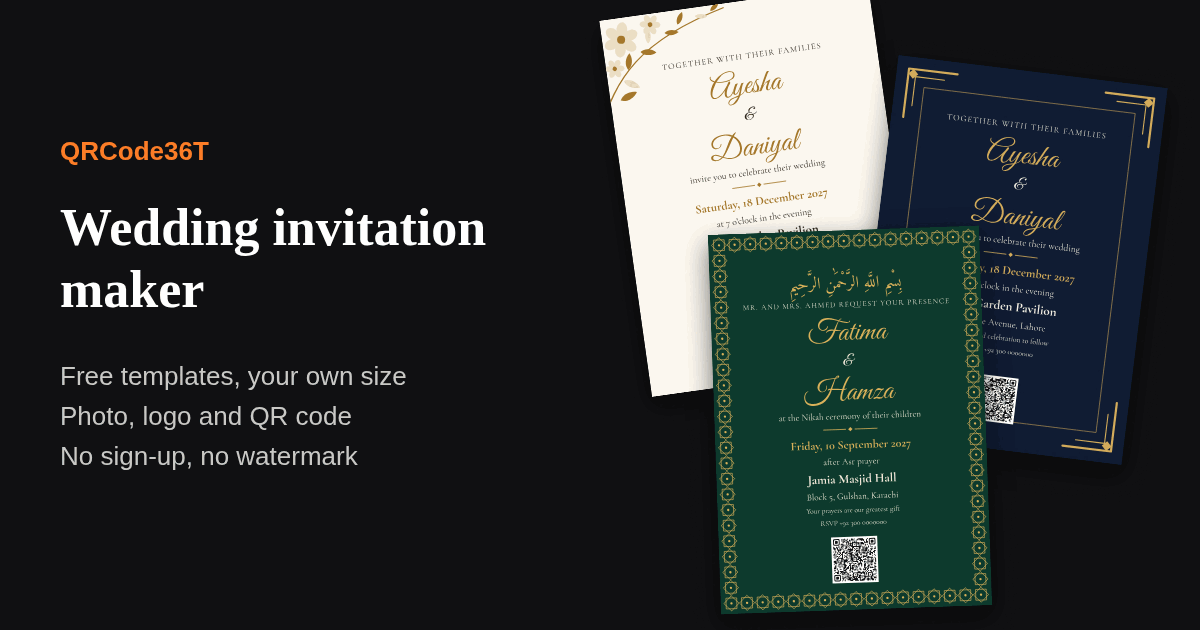
How to make it
- Choose the occasion from the list, then a design.
- Enter the two names, date, time, venue and RSVP number.
- Add your photo if the design has one, and keep or remove the map QR code.
- Download a picture for WhatsApp or a PDF for printing.
What people use it for
- Printed wedding cards
- WhatsApp invitations
- Save-the-date notes
- RSVP cards
Design tips
- Write the date with the weekday so guests can check it.
- A map QR code saves guests asking for directions.
- Send yourself a copy and proofread every name before sharing.
Cards for each event
| Option | Good for | Keep in mind |
|---|---|---|
| Save the date | Months ahead | Names, date and city are enough |
| Invitation | Nikah, wedding or Walima | Add venue, time and RSVP |
| RSVP card | Sent with the invitation | Give a reply-by date |
Common card sizes
| Card | Size | Notes |
|---|---|---|
| Business card | 3.5 × 2 in or 85 × 55 mm | 90 × 50 mm in some countries |
| ID card (CR80) | 85.6 × 54 mm | Bank-card size |
| Invitation | 5 × 7 in, or A6 | Add 3 mm bleed for print shops |
| Gift voucher (DL) | 210 × 99 mm | Fits a long envelope |
| Phone story | 1080 × 1920 px | For messaging apps |
| Custom | 20 to 600 mm a side | mm, cm, inches or pixels |
Your privacy
QRCode36T builds your card inside your browser. Names, phone numbers, addresses and photos are not uploaded; we count visits with Google Analytics and record which card type, template and file format were used. Privacy details.
Frequently asked questions
Can I write the invitation in Urdu?
Yes. Type Urdu or Arabic into any line and choose an Arabic-script font such as Amiri or Noto Nastaliq.
Can I make a digital invitation for WhatsApp?
Yes. Choose the 9:16 phone story size and download PNG at screen quality.
Can I remove the example text?
Yes. Empty a box in the Details tab and that line disappears.
Is there a watermark?
No.
More free tools
- QR code generator
- Wi-Fi QR code
- QR code with logo
- QR code with text
- vCard QR code
- WhatsApp QR code
- URL QR code
- Email QR code
- SMS QR code
- Location QR code
- Calendar event QR code
- Payment QR code
- Restaurant menu QR code
- Social media QR code
- Animated QR code
- QR code for print
- Bulk QR code generator
- QR code scanner
- Card maker
- Business card maker
- Invitation card maker
- Birthday card maker
- Eid card maker
- Greeting card maker
- ID card maker
- Gift voucher maker